Microsoft Copilot Pro vs. Copilot 2025 Guide: Pricing and Features
Organizations looking to maximize the value of AI need key details to inform their decision on upgrading to the premium version of Copilot.

Microsoft Copilot Pro vs. Copilot 2025 Guide: Pricing, Features and Which To Choose
Windows and Microsoft 365 users evaluating Microsoft’s artificial intelligence tools often ask the same thing: What’s the difference between Copilot and Copilot Pro? And is the upgrade worth it?
Before you choose, CDW offers expert Microsoft Copilot services to help organizations deploy and adopt AI confidently. Many teams also look for ways to increase productivity with Microsoft Copilot — whether using the free version or upgrading to Copilot Pro for advanced capabilities.
This guide compares Copilot (free) and Copilot Pro ($20 per month), so you can choose the right version for your productivity, creativity and workflow needs.
What is Microsoft Copilot?
Microsoft Copilot is an AI assistant woven into Windows, Bing and Microsoft 365 apps. Consumers using a personal license have free access to the basic version of Microsoft Copilot, or they can upgrade to Copilot Pro for $20 per month, unlocking access to premium features.
Enterprises also have the choice between a free and paid version of Copilot, although the names and the pricing differ from the consumer tools. The free enterprise version of Copilot is called Copilot Chat, while the paid enterprise version is simply called Microsoft 365 Copilot. This paid tool costs $30 per user per month, paid annually.
While all versions of Microsoft Copilot offer AI assistance for everyday tasks, the choice comes down to how people and businesses plan to use the tool and what data they want Copilot to access. This guide compares the different versions of Microsoft Copilot and offers insight into how users and businesses can use the AI tool to improve their workflows.
Copilot vs. Copilot Pro: A Side-by-Side Comparison
The decision of whether to pay the $20-per-month fee for Copilot Pro comes down to three things: how often you use Copilot, whether you need it inside Microsoft 365 apps and if you hit usage limits with the free version. This comparison breaks down pricing, AI model access and exclusive Pro features.
Feature
Copilot (Free)
Copilot Pro (starting at $20/month)
Pricing
Free
Paid upgrade — per user
Best for
Casual users, light AI tasks
Power users who rely on Microsoft 365 apps
AI model access
Available during nonpeak times
Priority and faster performance during peak demand
Microsoft 365 app integration
Limited AI credits each month
“Extensive” credits for constant in-app use
Image creation
Limited designer credits
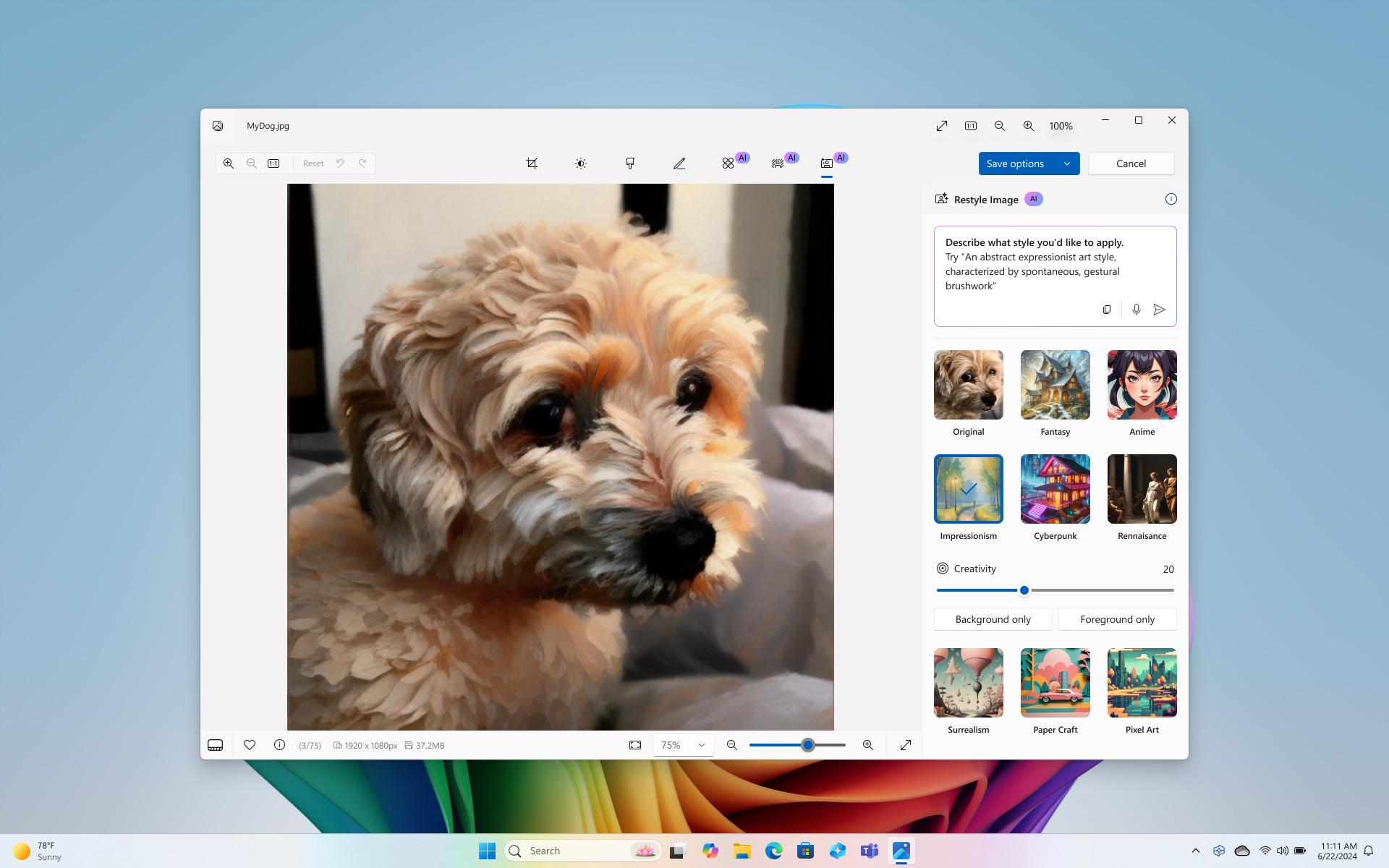
Nearly unlimited image generation and editing
Deep Research
Limited access
Included — detailed multisource reports
Access to new features
Often delayed
Early access to latest models + features
Bottom line: If you regularly create content or work inside Office apps, Copilot Pro removes usage limits and speeds output.
Check Out Microsoft 365 licensing options.
Copilot Chat vs. Microsoft 365 Copilot: A Side-by-Side Business Comparison
Copilot Chat and Microsoft 365 Copilot are Microsoft’s free and paid enterprise Copilot offerings, respectively. As with the different tiers of consumer Copilot offerings, there are some similarities between Copilot Chat and Microsoft 365 Copilot — as well as some important differences.
Feature
Copilot Chat (Free)
Microsoft 365 Copilot (starting at $30/user/month)
Access to organizational Data
None
Full Microsoft Graph integration
File uploads
Limited
Unlimited
Code interpreter
Limited
Full access
AI agents
Basic access
Deep reasoning and unmetered use
Analytics and admin controls
Basic
Advanced reporting, SharePoint control and ROI analytics
Personal assistant features
No
Email, schedule and workflow automation
Bottom Line: If business users want AI that understands their documents, emails and data, Microsoft 365 Copilot is the required upgrade.
What Features Are Exclusive to Copilot Pro?
In many ways, Copilot and Copilot Pro have similar features. The real difference shows when users of the free Copilot version inevitably run up against usage caps, or when they lose access during periods of peak usage.
Here are some of the most common reasons users might upgrade from Copilot to Copilot Pro.
Priority Access: Copilot Pro users receive two types of preferred access to Copilot resources. First, they receive early access to new features and models. This alone may be enough to spur upgrades by users who do not want to be left behind their peers and competitors. Also, Pro users receive priority access during peak traffic times, ensuring they are not shut out of Copilot when they are trying to get their work done. For users who value early, consistent access to AI tools, Copilot Pro is a natural choice.
Integration With Microsoft Apps: For people who mostly use Copilot as a chat tool, the free version may be enough. However, those who want to access Copilot within Microsoft 365 apps such as Word, PowerPoint and Outlook may consider upgrading to Copilot Pro.
While this in-app functionality is available on the free version, access is quite limited, with users receiving a certain number of AI credits each month. For sustained, consistent access to Copilot within Microsoft 365 apps, users will need to upgrade to Copilot Pro.
Image generation: The free version of Copilot allows users to generate only a fraction of the images they can generate with Copilot Pro. Microsoft tweaks these limits often, but they are generally restrictive. Copilot Pro will accommodate users who want to regularly generate images without quickly running out of capacity.
Copilot and Copilot Pro Use Cases
Like other generative AI tools, Copilot and Copilot Pro can help users and organizations analyze their data, create or revise content, and improve productivity for day-to-day tasks. Here are some of the most impactful use cases of Copilot and Copilot Pro.
Data Analysis and Reporting: Especially for those working with large data sets, complex Excel models or reports generated from internal data, Copilot Pro can provide a significant boost. For example, an analyst working inside of Excel might ask Copilot Pro to analyze a sales spreadsheet to identify any trends or outliers.
Copilot Pro can also leverage Microsoft Graph to pull data from SharePoint or Power BI to work across data sets. While Copilot Pro is not a substitute for human analysts, the tool can help these analysts accelerate their work and identify trends that they might have missed.
Content Creation: While the free version of Copilot can help with occasional brainstorming, Copilot Pro is a better fit for those who want to consistently use AI to speed their content creation. This can include not only written content but also presentations.
Productivity Improvement: For professionals who handle high volumes of communication, Copilot and Copilot Pro can offer a significant productivity boost. The tools can summarize long email threads or pull out key points from a slide deck or lengthy report, saving hours throughout the workweek. According to one survey, 70% of Copilot users said the tool made them more productive, and 64% said it helps them spend less time processing email.
Pricing: How Much Does Copilot Pro Cost?
Plan
Pricing
Requirements
Copilot Pro (individuals)
$20/user/month
Microsoft 365 Personal/Family
Microsoft 365 Copilot (enterprise)
$30/user/month (annual contract)
Microsoft 365 E3/E5 or equivalent
Copilot has different pricing for individuals and businesses.
For individuals with a Personal or Family Microsoft 365 subscription, the price for Copilot Pro is $20 per month. Microsoft notes that a Copilot Pro license is for one person, and even those with a shared Microsoft 365 Family subscription will need to purchase separate Copilot Pro subscriptions to use Copilot inside Microsoft 365 apps. This option may be a fit for some sole proprietors or very small family businesses.
More relevant for enterprise buyers is Microsoft 365 Copilot. This license costs $30 per month, per user if billed annually, or $31.50 per month, per user if billed monthly. Although Microsoft provides the option of monthly payments, enterprises must still commit to paying the license for a full year.
Copilot Pro and Microsoft 365 Copilot are not available as stand-alone purchases. Buyers must have an existing Microsoft 365 license.
Do we need to add a word here before the comma, like “account” or “subscription”?
How Do Copilot-Enabled PCs Help Businesses?
Introduced in May 2024, Copilot+ PCs are Windows 11 devices specifically optimized for AI tasks, containing a high-performance neural processing unit (NPU). Microsoft calls them the “fastest, most intelligent Windows PCs ever built,” capable of more than 40 trillions of operations per second, all-day battery life and access to the most advanced AI models. For businesses and users already considering an upgrade to Copilot Pro or Microsoft 365 Copilot, a Copilot+ PC can provide additional benefits related to performance and security.
While Copilot Pro and Microsoft 365 Copilot licenses give users and businesses access to AI functionality in the cloud, Copilot+ PCs offer on-device processing that powers the following AI uses:
- Recall: This feature helps users instantly find information that was previously locked away in files, emails or browsing history. Microsoft likens Recall to having a “photographic memory,” with Copilot+ PCs organizing information based on relationships and associations unique to users’ individual experiences — helping users to intuitively track down the information they need.
- Cocreator: This feature brings new image generation and editing capabilities to creative applications such as Paint and Photos. Rather than generating images in the cloud (a process that can come with usage restrictions), Cocreator works directly on users’ devices, generating new images in response to ink strokes and text prompts.
- Application integrations: Microsoft has partnered with other vendors to bring AI functionality to applications such as Adobe Photoshop, CapCut and LiquidText. Because the AI features run entirely on-device via NPU, data stays private to the machine and the app.
Why CDW Is the Right Partner for Your Microsoft Copilot Strategy
AI is a powerful tool, and its use is projected to increase massively in the coming years. Although some organizations have struggled to move their custom AI pilot projects into production, out-of-the-box AI tools such as Copilot have already transformed the way people work. Many users and businesses will benefit from both the paid Copilot offerings and Copilot+ PCs.
For users and organizations that aren’t sure how Copilot will benefit them, working with a trusted partner can help bring clarity. CDW takes a customized approach to Copilot, ensuring that organizations of every size — from small businesses to large enterprises — across all industries receive a scalable plan to optimize their investments in AI.
CDW offers both a Copilot Readiness Assessment and an AI Strategy Workshop to help customers identify their needs, get started and make the most of Copilot. Our depth of experience in both AI and Microsoft ecosystems enables us to support your business from planning through adoption of Copilot.
FAQs: Copilot vs. Copilot Pro
Is Copilot Pro worth paying for?
Yes — if you frequently work in Office apps or hit usage limits, Copilot Pro delivers significantly more productivity value.
Can I use Copilot Pro without Microsoft 365?
No. You must have a Microsoft 365 Personal or Family license.
Is Copilot Pro the same as Microsoft 365 Copilot?
No — Copilot Pro is for individuals; Microsoft 365 Copilot unlocks enterprise data and deeper workflow automation.
Does the free Copilot have limitations?
Yes — slower performance at peak times, limited credits and limited access to Deep Research.

CDW Expert
CDW Expert